
How to best utilize mobile tech for staff
Published April 18, 2016
 Love it or hate it, mobile technology in the workplace is here to stay. While more and more companies are utilizing it as a way to up their productivity, there is a right and a wrong way to go about it. Here are four tips to help you successfully integrate mobile devices into your organization to create a more efficient and productive business.
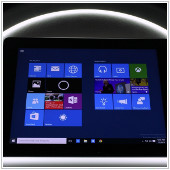 During Microsoft’s Build 2016, new innovations were announced to the public. But what you should really keep your eye on are the changes made with the Windows 10 Anniversary Update. With the new updates many are expecting features that help manage your business and personal life. So what were the most noteworthy updates to Windows 10 and how will they affect you? Listed below are a few important changes that are worth mentioning for you, the small business owner.
 When most business owners think of Virtualization, they likely don’t think of Disaster Recovery. The truth is, though, that Virtualization is a multi-faceted IT solution that can provide an effective backup in case your business is hit by a disaster. So for those who are new to the idea of Virtualization as a Disaster Recovery solution, here’s a breakdown.
 Bring your own device (BYOD) strategy is when an employee uses their personal mobile device to work with your company from anywhere. This strategy can bring about many advantages to your business such as increased efficiency and convenience. However, this can also bring a number of security risks for your IT infrastructure and data. If you’re thinking of incorporating BYOD in your office, consider some of the risks involved before making a decision.
 On March 22, Apple rolled out iOS 9.3. While many iPhone users are likely to have already upgraded to the new iOS, there are undoubtedly some who have yet to update. Regardless, there are some tried and true methods to ensure a successful update to your iOS, whether it be to this version or a future one. Here are a few guidelines to follow to ensure yours goes smoothly.
 Make no mistake, healthcare costs are rising. For business owners who are generous enough to offer their employees insurance, this is undoubtedly a cause for concern. And you may wonder, is there any way to protect your employees and not go bankrupt in the process? Wearable technologies may be the answer. Here’s what you need to know about utilizing them in the workplace.
 For business owners, sleep is a must. You rely on a good night’s rest to run your business effectively, focus on the big picture, and think clearly about your organization. But what if one of your business tools was preventing you from getting sufficient sleep? If you use your Android tablet in the evening, this might just be the case. Here’s how you can utilize your tablet to get some solid shut eye.
 At work, we depend on several apps to be more productive around the office. However, with so many of them open in our web browsers, it can be a drag to constantly click in and out of tabs just to get the information we need. Fortunately, Office 365 Connectors for Groups allows you to stay on top of all the third party services your company is using. So how, exactly, do these connectors make your life easier? Here are a few things you need to know about the new Office 365 feature.
 Everything seems fine at first, your PC is running normally but then a blue screen suddenly greets you. After restarting your computer you find that a lot of your unsaved work is gone. If this has happened to you before, rest assured, you’re not alone. What you’ve just encountered is the Blue Screen of Death (BSoD) and it appears when there is an issue with either your hardware or software. Fortunately, there are ways to troubleshoot these problems. Here are some of the common causes of a critical failure error and how you can fix them.
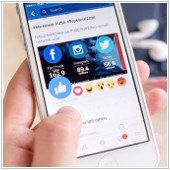 Your news feed is about to get a lot more expressive, thanks to Facebook reactions. Aside from ‘Liking’ a status update, you now have five more options to express what you feel about a post. The new feature not only makes it easier for you to appropriately react to a piece of bad news but it also provides you with exciting ways to manage your business’s social media page. So how can you use Facebook reactions effectively? Here are a few ways you can use the new emojis to your advantage.