
Technology ROI 101
Published April 4, 2016
 Your technology needs to produce a return on investment. If it doesn’t, you’re wasting you and your staff’s time and money. But how can you ensure you gain that coveted ROI you’re after? What does it actually mean to have a positive ROI? And how can you tell if you have one? Here are a few tips for calculating the true costs of a new technology investment.
 More patients are turning to a self-service approach when it comes to healthcare. Now this doesn’t mean they’ve taken to operating on themselves, but they are checking into hospitals without the help of medical administrators. Similar to portal technology, self-service kiosks can help streamline administrative tasks like hospital registration and payment. So is self-service a viable solution for hospitals?
 When it comes to security, topics like the cloud and networks get wide coverage on Internet blogs and forums. However, other types of technology fly completely under the radar. Virtualization just so happens to fall into this category. And just because people aren’t talking about it doesn’t mean virtualized machines and infrastructure should be left unsecured. If you don’t have the right defense in place, you’re leaving your business vulnerable to hackers and cyber threats. Here are some of the major risks of insufficient virtualization security and a few methods to prevent them.
 VoIP has been a popular communications solution for many small businesses for quite some time now, simply because doing business over any IP device is a whole lot easier compared to using a traditional phone. However, did you know that your VoIP service offers useful features you may not even know about? Here are some to take note of to save yourself the trouble of doing things the old-fashioned way.
 Your computer has been acting up a lot lately. It keeps crashing, it’s slow and, to top it off, you keep getting pop-ups you don’t want to see. If these problems keep occurring then your computer may have a virus. So is there a way to prevent things like this from happening again? While there are various antivirus solutions you can take, it’s best to know how malware affects your computer first so you can quickly recognize and deal with the problem. These are a few ways to find out if your computer has a virus before it’s too late.
 Ads are becoming increasingly intrusive on today’s web browsers. They can slow down the load time of pages, and cause potential security and privacy issues. So it’s no surprise that ad blockers are becoming more and more popular. However, as they do, they’re also cutting into the revenue of online advertisers. With the upcoming release of Opera’s new ad blocker that’s incorporated directly into the browser, business owners may be both excited and disturbed. On one hand, their own personal browsing experience will be smoother with less disruptive ads, and on another their advertising reach may become more limited.
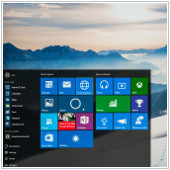 You’ve just logged into your PC and you’re greeted with an incredibly plain desktop background and an equally drab Start Menu. What could be worse? The pinging noise of that notification tab on the bottom right of your screen is also telling you that an application you barely use is ready for an update. Thankfully, Windows 10 allows you to customize your PC however you like. So if you like things to look a certain way, then try out these tips to personalize your Windows 10 experience.
 Hold off on buying that iPad Pro for yourself or for your office because there will be a smaller and more powerful version of the iPad Pro that’s going to hit the shelves some time soon. The 9.7-inch iPad Pro model is expected to offer the same features as the massive 12.9-inch model but with a better camera and at a cheaper price. So what are some things we can expect with the new launch? Here are a few of the exciting features we can anticipate from the new iPad Pro to help you decide whether or not you want one.
 So you’ve been using Office 365 for you business for quite some time now. But did you know there are a few nifty features that you can use to make work just a little bit easier? From cutting down tedious tasks to getting work done with multiple people at the same time, Office 365 has got you covered. Here are some hidden (and not so hidden) tips and tricks to help make the most out of this cloud service.
 When it comes to business data, Google Drive provides flexibility and accessibility for organizations across the country. But whether you’re new to the platform or a long-time user, you may not be using the service to its maximum abilities. If you’re unsure whether or not this applies to you, read on to discover some Google Drive tips you may not be aware of.